
Microsoft SharePoint can help businesses manage documents, improve collaboration and give employees easier access to important information. However, simply moving files to SharePoint does not guarantee a successful rollout.
For companies planning SharePoint implementation in Dubai, the bigger challenge is making the platform work for both employees and business processes. Poor planning, unclear permissions and low adoption can make even a well-configured SharePoint environment difficult to use.
Here are 10 common mistakes UAE companies should avoid.
Before implementing SharePoint, businesses need to know what they want to achieve. Is the goal better document management, an employee intranet, improved collaboration or more organised information?
Without clear objectives, SharePoint can become another place to store files rather than a platform that improves the way teams work.
SharePoint offers much more than shared folders. It can support document management, collaboration, intranets, structured content and business workflows.
A successful rollout starts by understanding how different departments work and then designing SharePoint around those requirements.
Another advantage of SharePoint is that it can work alongside other Microsoft 365 tools that employees already use. Instead of treating SharePoint as a standalone platform, businesses can connect it with tools for communication, file management, automation and custom applications.
For example, Microsoft Teams can work with SharePoint so teams can access and collaborate on shared files within their communication environment. Microsoft OneDrive can be used for individual file storage and synchronisation, while SharePoint can manage shared team and business content.
Businesses can also use Microsoft Outlook alongside SharePoint for email, calendars and notifications. Microsoft Power Automate can help automate repetitive processes such as approvals, notifications and document workflows. For specific business requirements, Microsoft Power Apps can be used to create customised applications that work with business data. Microsoft documents integrations between these tools and SharePoint, Teams and Power Platform.
The goal is not to use every Microsoft 365 product simply because it is available. It is about understanding how your teams work and connecting the right tools to make everyday processes easier.
Moving every existing file into SharePoint may seem convenient, but it can quickly create a cluttered environment.
Before a SharePoint migration, businesses should review their existing content and decide what should be migrated, archived or removed.
Look for duplicate files, outdated documents, old versions, sensitive information, unclear ownership and unnecessary folder structures.
The goal should be to move useful business content, not simply move everything.
Governance should be planned before the rollout, not after it.
Businesses need clear rules for site creation, content ownership, permissions, naming conventions and document management.
A practical governance framework should cover site ownership, user permissions, content lifecycle, naming standards, security requirements and user responsibilities.
This becomes especially important as more departments begin using SharePoint.
Poorly planned permissions can create unnecessary security and administration problems.
Employees should have access to the information required for their roles without being given unnecessary access to sensitive business content. Clear groups and role-based access can make permission management easier.
A SharePoint environment can be technically sound but still fail to gain adoption if employees find it difficult to navigate.
Search, navigation, page layouts and document organisation should reflect how employees work. The platform should make everyday tasks easier, not add another layer of complexity.
Launching SharePoint across the entire organisation immediately can make problems harder to identify.
A smaller pilot allows businesses to test navigation, permissions, search, documents and workflows with real users before expanding the rollout.
The feedback gathered during the pilot can then be used to improve the wider deployment.
Employees need more than access credentials. They need to understand how SharePoint changes the way they store, find and share information.
Practical training can help employees understand where documents belong, how collaboration works and which processes they are expected to follow.
Important SharePoint pages and document libraries need clear owners.
Without ownership, information can become outdated and employees may stop treating the platform as a reliable source of business information.
Content owners should be responsible for updating information, reviewing documents, managing access and removing outdated content when required.
A SharePoint project does not end when the platform goes live.
Businesses should also understand whether employees are actually using it. Usage patterns, search activity, feedback and support requests can show where additional training or improvements are needed.
A successful SharePoint implementation in Dubai should begin with business requirements rather than technology alone.
Businesses should assess existing content, establish governance, plan permissions, create a practical information structure and test the environment before a full rollout.
SharePoint should not be treated as a one-time technology project. As businesses grow, their content, teams and processes change too.
For companies looking for SharePoint implementation services in Dubai, a structured approach can help create a platform that employees can understand, use and rely on for everyday collaboration.
SharePoint implementation is the process of planning, configuring and deploying SharePoint according to an organisation's requirements for document management, collaboration, communication and information sharing.
Governance establishes clear rules for permissions, site ownership, content management and user responsibilities, helping keep the platform organised as it grows.
No. Existing content should be reviewed before migration. Duplicate, outdated or unnecessary files can often be archived or removed instead of being transferred.
Yes. Training helps employees understand the platform and adapt to new document management, collaboration and information-sharing processes.
The timeline depends on factors such as the number of users, amount of content, integrations, customisation, security requirements and overall implementation complexity.
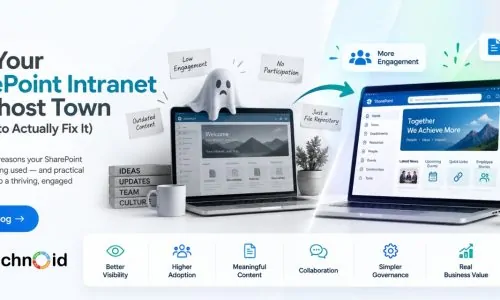
You invested in a SharePoint intranet. The platform is live, the pages are built, documents are ..

An Introduction to Shopify Metafields in E-Commerce website development Customization and flexi ..

Social media has changed the way businesses connect with customers. From discovering new brands ..
[calendly url=”https://calendly.com/technoidfze/30min” type=”1″]
Enjoy our content? Add us as a preferred source on Google.